· UBIK365 Kft.
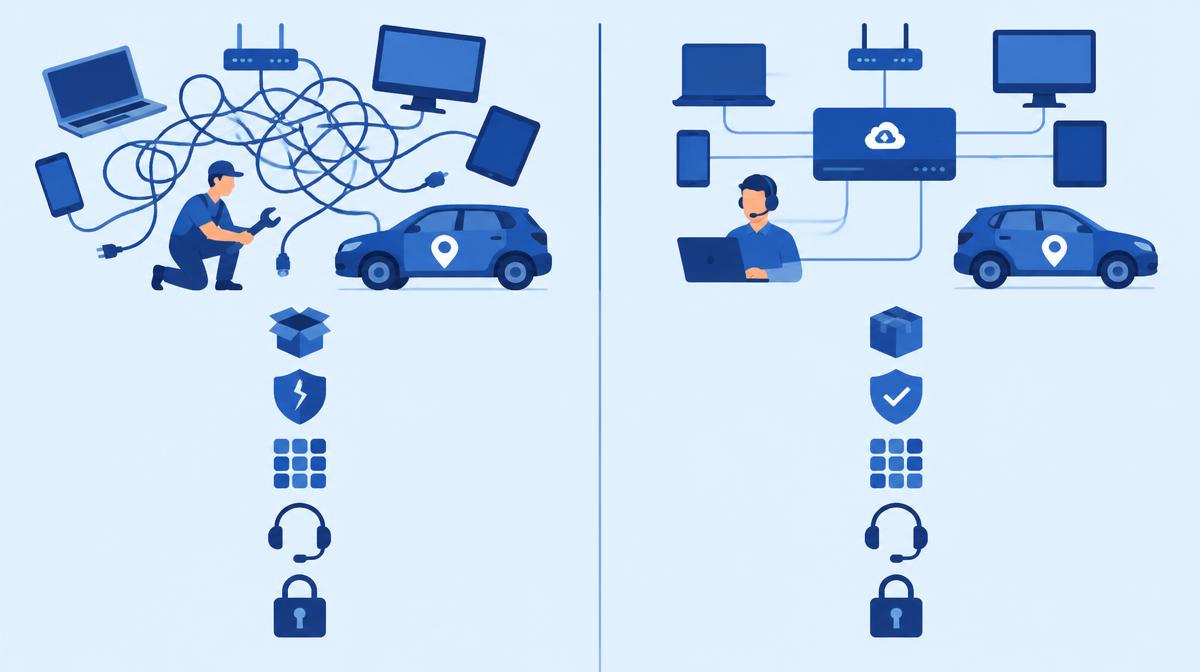
Where time is lost managing devices by hand, what a central console changes – and what it doesn't.
While a company has only a few dozen phones and laptops, managing them by hand still seems workable. The problem rarely shows up as one big failure – it's small, recurring tasks spread across the days of IT, managers and users. This article looks at what a central device management (MDM/UEM) console changes, and where its limits are.
The hidden costs of managing devices one by one
- Time: every new device setup, every app update and every password reset is done individually.
- Room for error: as many hands, as many configurations – differences are hard to trace later.
- Site visits: if a problem can't be fixed over the phone, someone has to go there or the device has to come back.
- Inconsistent security: nobody knows for sure on which device encryption or the screen lock is enabled.
These costs rarely appear as a separate line item. They show up as IT never getting to improvement work, and users waiting.
Five areas where a central console makes a difference
1. Onboarding and groups
In a central console, devices are placed in groups, and the group determines the settings they receive. In Samsung Knox Manage, Galaxy devices can enrol automatically on first boot via Knox Mobile Enrollment, so a new device starts as a company device straight out of the box.
2. Policies and restrictions
Password rules, encryption, and blocking the camera or app store are set in one profile and enforced on every assigned device. With event-based policies the rule can adapt to the situation: outside working hours, on a specific Wi-Fi network or inside a defined area, different settings can apply. SIM change and geofence events are available on Android devices.
3. App deployment and updates
Public and in-house apps can be deployed from one place, targeted per group. In kiosk mode a device can be locked to one or a few designated apps – especially useful for field, warehouse and customer-facing devices.
4. Support with remote assistance
With remote support, IT sees and controls the user's device from the console. Knox Remote Support, which comes with Knox Manage, enables screen sharing, remote control and file transfer on Android devices, with role-based permissions.
5. Lost devices and departing employees
A lost device can be locked or wiped immediately from the console. With a work profile, selective wipe removes only company data – this also works for a departing employee's own device, leaving private content untouched.
What MDM doesn't solve on its own
A console provides the technical framework, but it doesn't replace decisions and processes. MDM doesn't write the acceptable use policy, doesn't decide who gets which device, and doesn't communicate with users. If staff don't understand why their phone has changed, even the best configuration can meet resistance. Device procurement, replacement and disposal also remain organisational tasks – MDM supports them but doesn't replace them.
How to get started
- Choose a pilot device group, such as one department or site.
- Set up three baseline policies: security basics, app set, lost-device handling.
- Measure how many manual tasks disappear and collect user feedback.
- Extend gradually to other groups, and only then introduce finer, event-based rules.
Decision checklist
- Do you know how many devices, on which platforms, need managing (Android, iOS/iPadOS, Windows, macOS, ChromeOS, Wear OS)?
- Is there a device group that should run in kiosk mode?
- Do you need context-dependent (time-, location- or network-based) rules?
- How much time does on-site or phone troubleshooting take today?
- Do you use in-house apps that need regular updates?
- Are there employees using their own devices (BYOD) where only company data should be managed?
- In a Microsoft 365 environment, do you need conditional access for Android devices?
- Who will own the console, and who decides on policies?
If your answers suggest a central console makes sense, we're happy to help you choose the right Knox Manage licence and plan the pilot – get in touch using the contact details below.